

Table of Contents
I remember the exact moment I almost betrayed my 2015 “Workhorse.
It was a Tuesday, it was raining, and I was trying to render a simple three-minute video. My laptop—a machine that had been my faithful companion through three jobs and two cross-country moves—sounded like it was preparing for a Mach 1 takeoff. The underside was hot enough to sous-vide a steak, and the cursor was stuttering across the screen like it was wading through molasses.
I had the “New Releases” tab open. I was seconds away from dropping two grand on a sleek, unified-memory replacement. But then, I caught my reflection in the glossy, flickering screen. I looked at the stickers on the lid—the local coffee shop that closed in 2018, the tech conference in Vegas. This wasn’t just “hardware.” This was a journal.
I closed the browser, grabbed a precision screwdriver set, and decided to perform surgery instead of an autopsy.
Here is the truth the tech industry doesn’t want you to know: your laptop isn’t “old.” It’s just tired, dirty, and over-encumbered. If you treat your PC like a classic car rather than a disposable razor, 7 to 10 years of high-performance life isn’t just a dream—it’s the standard. Let’s get into the guts of it.
I. The Surgical Theater: Internal Hygiene
The number one killer of laptops isn’t “obsolete silicon.” It’s thermal throttling.
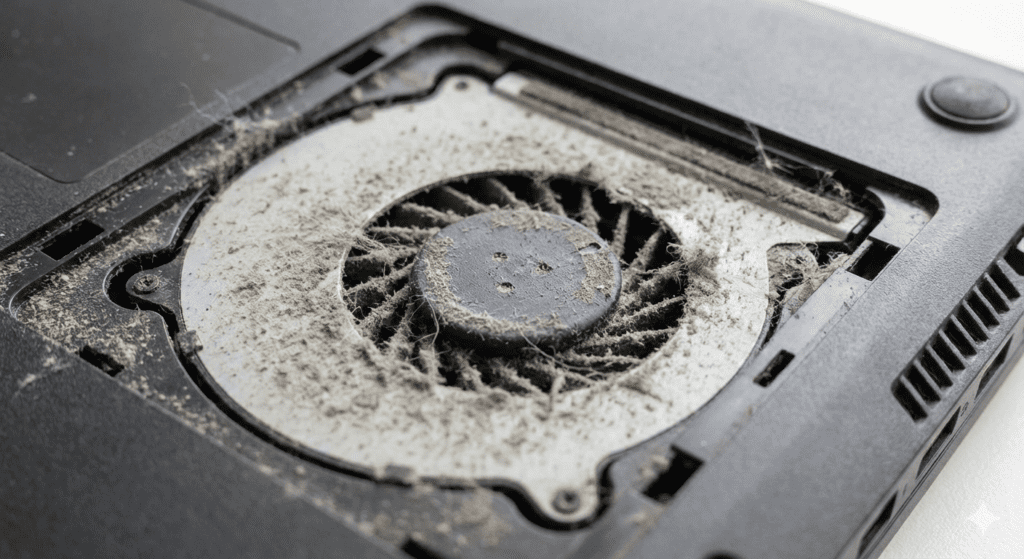
Inside your laptop, there is a tiny copper pipe and a finned radiator. Over time, these become a literal “lint trap.” I’ve opened laptops that had enough compressed cat hair and dust inside them to felt a small hat. When that happens, your CPU hits 95°C, freaks out, and cuts its own power to stay from melting. That’s the “slowdown” you’re feeling.
The Annual Deep Clean
Once a year, you need to perform “The Great Exorcism.”
- The Tools: An iFixit-style precision kit (pentalobe and torx bits are the gatekeepers here), a can of high-pressure air, and a wooden toothpick.
- The Moment of Truth: When you pop those plastic clips—that terrifying crack sound that makes you think you’ve broken it—don’t panic. That’s just the chassis giving in.
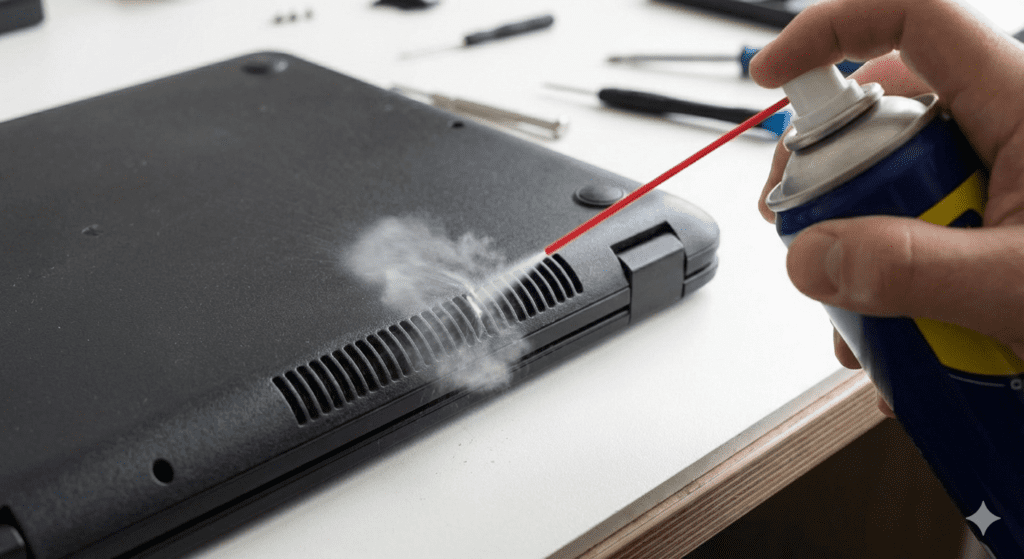
- The Technique: Hold the fan blades still with the toothpick while you blast the air. If you let them spin freely from the air pressure, they can generate back-voltage and fry the motherboard. Watch the grey clouds billow out. It’s better than therapy.
The “Goo” Factor: Re-Pasting
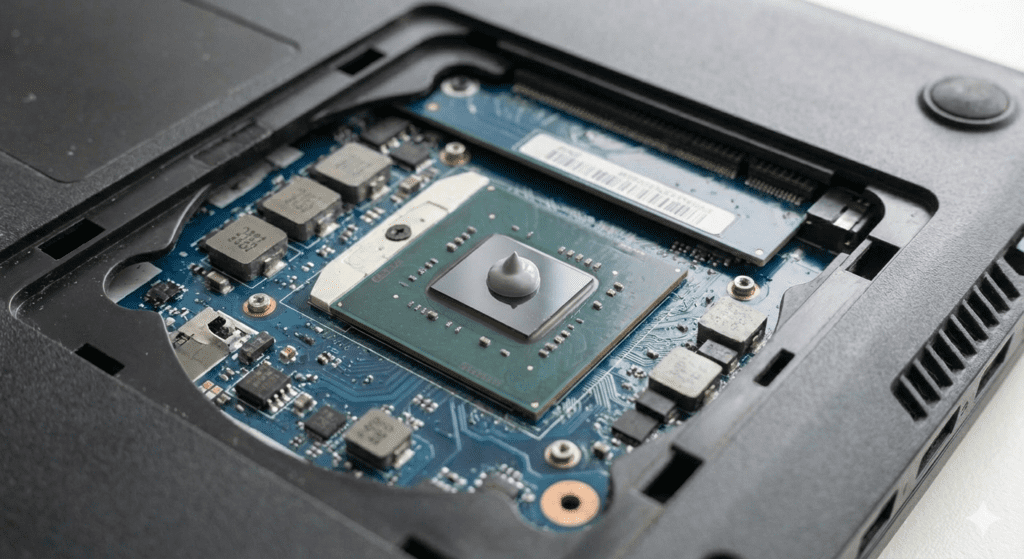
If you’re feeling brave, this is the Holy Grail of maintenance. Between your chip and the copper cooler is a layer of thermal paste. Factory paste is usually “fine,” but after 4 years, it turns into a dry, brittle crust that transfers heat about as well as a brick.
- The Upgrade: Clean it off with 90% Isopropyl alcohol and apply a pea-sized drop of Arctic MX-6 or Noctua NT-H2.
- The Result: I’ve seen idle temperatures drop from 60°C to 38°C just from this $10 fix. It’s like giving your laptop a literal ice bath.
II. The “Spicy Pillow” and Battery Alchemy
We’ve all seen it: the laptop that doesn’t sit flat anymore, or the trackpad that feels “stiff.” That’s a swelling battery, and it’s a ticking time bomb.
Lithium-ion batteries are chemically unstable teenagers. They hate being too full, and they hate being empty. If you keep your laptop plugged in 24/7 at 100%, you are essentially “overfeeding” it until it develops a physical protrusion.
The Longevity Protocol
- The 80% Threshold: Most modern laptops (Lenovo, Dell, ASUS, and even Apple via third-party apps like AlDente) allow you to set a Charge Limit. Set it to 80%. This prevents the battery cells from sitting in a high-voltage state, which is what causes the dreaded “swelling.”
- The Heat Trap: Never, under any circumstances, do heavy work on a bed or a rug. You are suffocating the intake vents. If you must work from the couch, buy a $15 bamboo lap desk. Your battery (and your lap) will thank you.
III. Digital Hygiene: Curing “Windows Rot”
Software doesn’t “wear out,” but Windows (and to a lesser extent, macOS) has a habit of “nesting.” Every app you install leaves behind registry keys, background update services, and “telemetry” gunk. This is “Windows Rot.”
The “Nuke It From Orbit” Method
I am a firm believer in the Tri-Yearly Clean Install.
- Back up your files to the cloud or an external drive.
- Create a bootable USB and wipe the drive completely.
- Reinstall a “lean” version of the OS.
When you boot into a fresh, empty desktop for the first time, your 2018 laptop will suddenly feel like it just came off the assembly line. The “sluggishness” wasn’t the CPU; it was the 47 “helpers” and “updaters” running in the background.
The Bloatware Assassin
If you don’t want to reinstall, use a tool like BCUninstaller (Bulk Crap Uninstaller). It finds all the “hidden” junk manufacturers pre-install—those “trial” antivirus programs and “media suites”—and rips them out by the roots.
IV. The Hardware “Fountain of Youth”
If your laptop has a “bottleneck,” it’s almost certainly not the processor. It’s the “waiting room.”
The SSD Miracle
If you are still using a mechanical Hard Drive (the ones with spinning platters), you are driving a Ferrari with wooden wheels. Swapping a 500GB HDD for a SATA SSD is the single most transformative thing you can do for $40. It turns a 2-minute boot time into 15 seconds. It makes the UI feel “snappy” again.
RAM: The “Desk Space” Analogy
Think of RAM as your physical desk space. If you have 4GB or 8GB, your desk is tiny; the moment you open more than five Chrome tabs, you have to start moving papers to the “filing cabinet” (your slow hard drive). Upgrading to 16GB or 32GB (if your model isn’t soldered) gives you a massive mahogany desk. Everything stays “instant.”
V. The Philosophy of the Survivor
There is a deep, tactile satisfaction in using a machine that “should” be dead.
When I look at my Workhorse now—running a lean OS, with fresh thermal paste and a new battery—I don’t see an “old computer.” I see a tool that I understand and I know its quirks. I know how to fix it.
We live in a world that wants us to treat technology as disposable, but there is power in repair. Every year you keep that laptop out of a landfill is a win for your wallet, a win for the planet, and a win for your own technical soul.
So, before you click “Add to Cart” on that M3 or that new Snapdragon laptop, ask yourself: Have I actually cleaned the vents lately?
The Encycloblog Next Step: Do you have a laptop that’s currently “acting up”? Take a photo of the model number on the bottom and tell me what the “symptoms” are. I’d love to help you diagnose whether it needs a software purge or a physical deep-clean.
What’s the oldest piece of tech you still use every day? Let’s talk “Survivor Tech” in the comments.